Navigating CAESAR
Lost in CAESAR?
For help completing tasks, follow the paths provided below. They indicate the menus students should select when navigating through CAESAR:
- Evanston and Chicago students:
- Doha students:
- Visit MyNUQ help for all Doha questions on contact and hold tasks, financial aid and loan tasks, and billing and payment tasks
For technical issues, see instructions for allowing third-party cookies and clearing cache on several browsers. Third-party cookies are used on payment pages. Note: If you are using more than one web browser (e.g. Firefox and Safari), please clear the cache on both browsers.
Evanston and Chicago Students
Contact and Hold Tasks
| Task | Instructions | CAESAR Interface |
|---|---|---|
|
Update my address |
Navigate to: CAESAR > Homepage > Profile tile > Addresses (See Add or Update Address for step-by-step instructions) |
|
|
Authorize others to view or pay my bill |
Navigate to : CAESAR > Homepage > Profile tile > Manage Guest Access |
|
|
Check for a registration hold |
Navigate to: CAESAR > Homepage > Tasks tile |
Billing and Payment Tasks
| Task | Instructions | CAESAR Interface |
|---|---|---|
|
View my account |
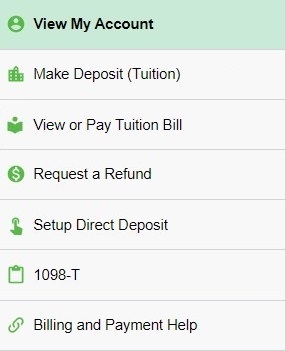
Navigate to: CAESAR > Homepage > Account and Payments tile > View My Account (See Viewing Your Account for step-by-step instructions For information on how to read your online daily activity, see Understanding Your CAESAR Account |
|
|
View, pay, or print bill |
Navigate to: CAESAR > Homepage > Account and Payments tile > View or Pay Tuition Bill
The same monthly bill details, formatted for saving or printing, are contained in the PDF version:
|
|
|
Make deposit for tuition (Graduate students only) |
Navigate to: CAESAR > Homepage > Account and Payments tile > View My Account > Make Deposit (Tuition) (See Making Tuition Deposits for step-by-step instructions.)
|
|
|
Set up direct deposits |
Navigate to: CAESAR > Homepage > Account and Payments tile > View My Account > Setup Direct Deposit (See Setting Up Direct Deposit for step-by-step instructions) |
|
|
Request a refund |
Navigate to: CAESAR > Homepage > Account and Payments tile > Request a Refund (See Request a Refund for step-by-step instructions) |