
Full Exclusion Zone
Use the full exclusion zone whenever possible.
When placing the wordmark and formal logo, be sure that other text and graphics do not encroach on it.
When visual elements are too close to the wordmark, it can take away the page hierarchy or create brand confusion. For this reason, an "exclusion zone," or area around the wordmark, provides helpful guidance.
The diagram below shows how our exclusion zones are constructed. No type or graphics may appear within this zone. Although the primary wordmark is shown here, these measurements apply to all versions. In addition, the wordmark must be used in its entirety. Letters of the wordmark cannot be cut-off.

The diagram below shows how our exclusion zones are constructed. No type or graphics may appear within this zone. Although vertical configuration of the formal lockup is shown here, the measurements apply to both versions.
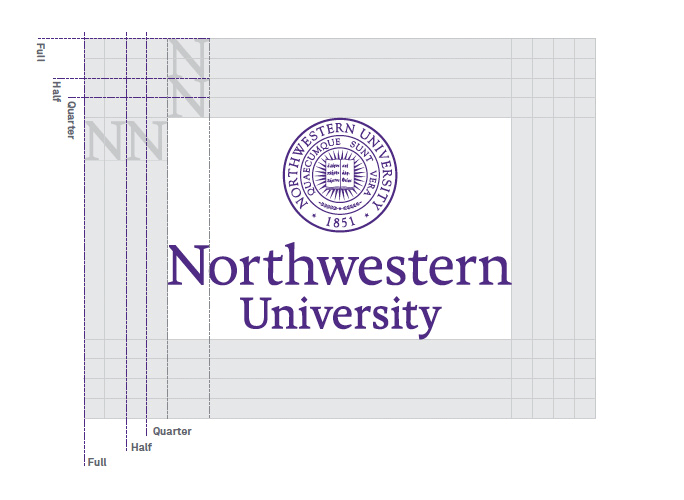
Use the full exclusion zone whenever possible.

The half exclusion zone may be used with smaller applications, such as digital communications.

Use the quarter exclusion zone only in cases of extremely limited space, such as signage. However, type and graphics must still not appear within the half exclusion zone.