Understanding Your Bill
Bill Basics
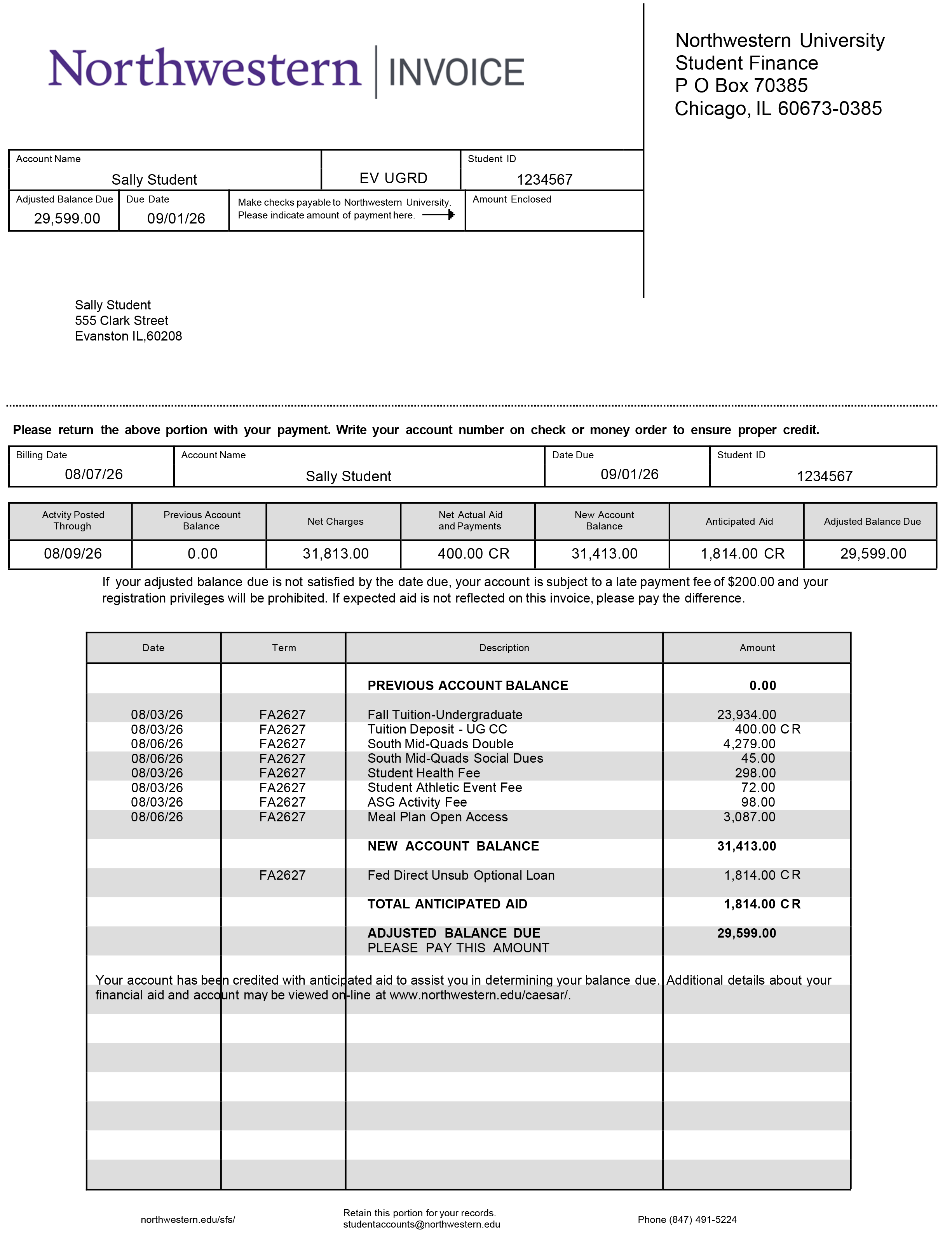
Your bill reflects your tuition, fees, previous balance and any new transactions since the last billing cycle.
- Bills are generated monthly.
- Charges are listed separately when possible.
- Transactions posted after a bill is generated will appear on the next bill but may be visible sooner in CAESAR.
Bill Views
Online Invoice
QuikPAY® eBill provides online billing, email notifications and access to 12 months of invoice history.
- Students: CAESAR > Account and Payment tile > View My Account > View or Pay Tuition Bill
- Authorized payers: Access bills through QuikPAY® after student authorization.
Printable (PDF) Invoice
Current and past bills are available as printable PDFs in QuikPAY®. See Printing Tuition Bill for instructions.
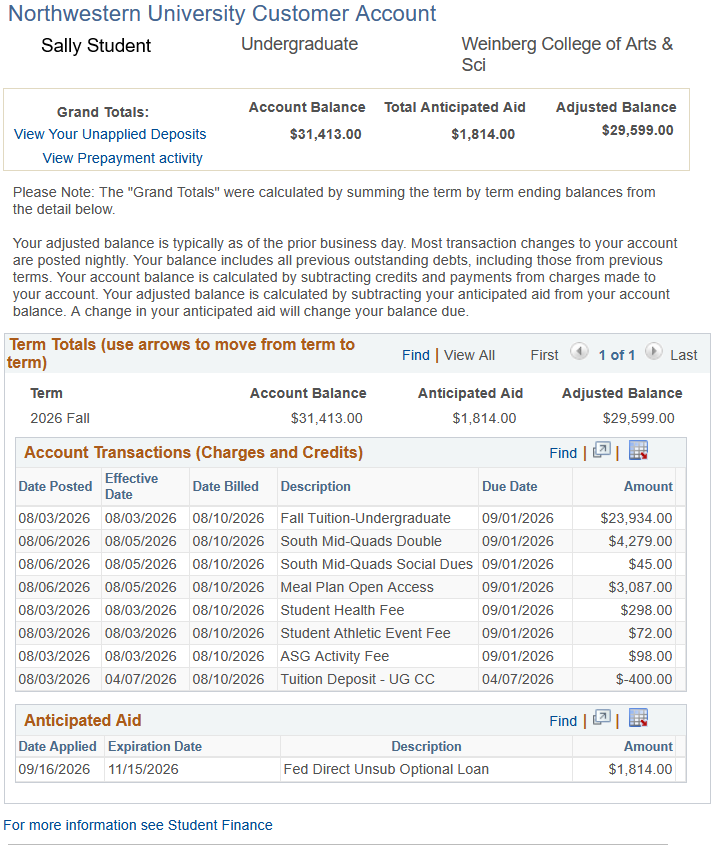
Real Time Activity (Online via CAESAR Account)
View all account transactions in real time, including activity that will appear on the next monthly bill, in CAESAR > Account and Payment > View My Account.
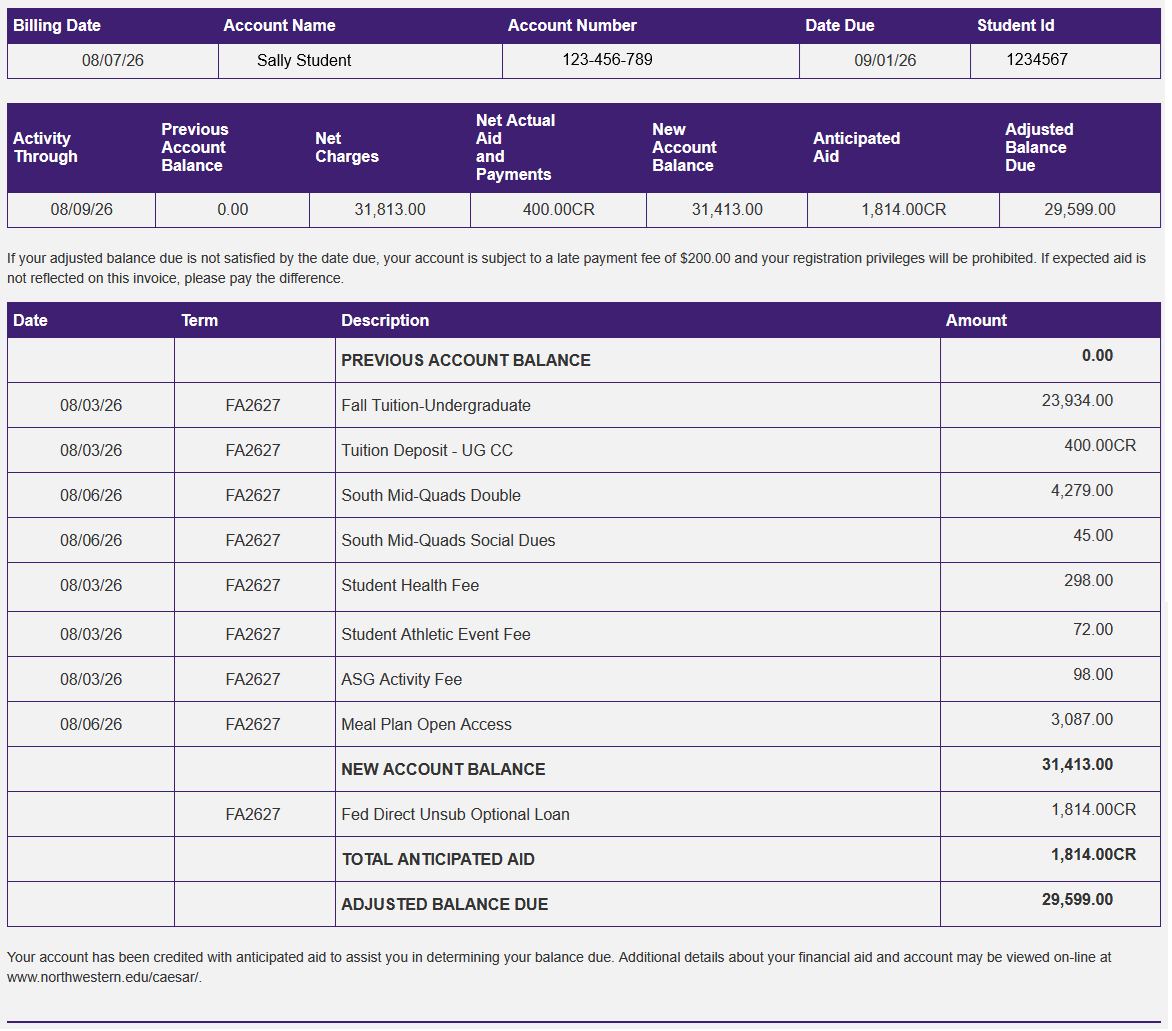
Activity Through
Includes all transactions posted to the student account by this date.
Previous Account Balance
Amount carried forward from the previous month's invoice.
Net Charges
Sum of new charges on this month's invoice.
Net Actual Aid and Payments
Sum of new credits on this month's invoice. CR = Credit.
New Account Balance
This figure starts with the previous balance on your account and then adds net charges and subtracts net credits. It does not include Anticipated Aid as this funding is still pending.
Anticipated Aid
Pending aid for every term; aid not disbursed eventually expires. CR = Credit.
Adjusted Balance Due
The adjusted balance is your account balance minus the anticipated aid. If all transactions that appear on the account are completed as planned, this is your anticipated future balance. CR = Credit.
Account Detail
Itemized transactions of the account. View Tuition and Fees for more information on costs and fees.